
Clarify AI Web App: Summarize, Chat With and Follow YouTube in One Place

Now more than an extension
Clarify AI started as a browser extension that summarizes YouTube videos right on the video page. Since then, we've kept delivering new features (Transcript and Summaries right on the website), fixing bugs and improving the user experience. We even launched a new project, Clarify AI: Screen Answers, to try something different, but it always felt like there was more to invent with YouTube Summaries & Transcript. Ideas like a mobile app or a messenger bot for summarising from any device crossed our minds, but they didn't survive closer scrutiny. In the end, the right vision came naturally once all our thoughts came together. So please meet the Clarify AI: YouTube Summaries web app!
It's just as simple to use: open it in a browser on your computer or phone. Sign in with Google or with a one-time code sent to your email, and your summaries follow you from desk to pocket.
What makes it different from a browser extension?
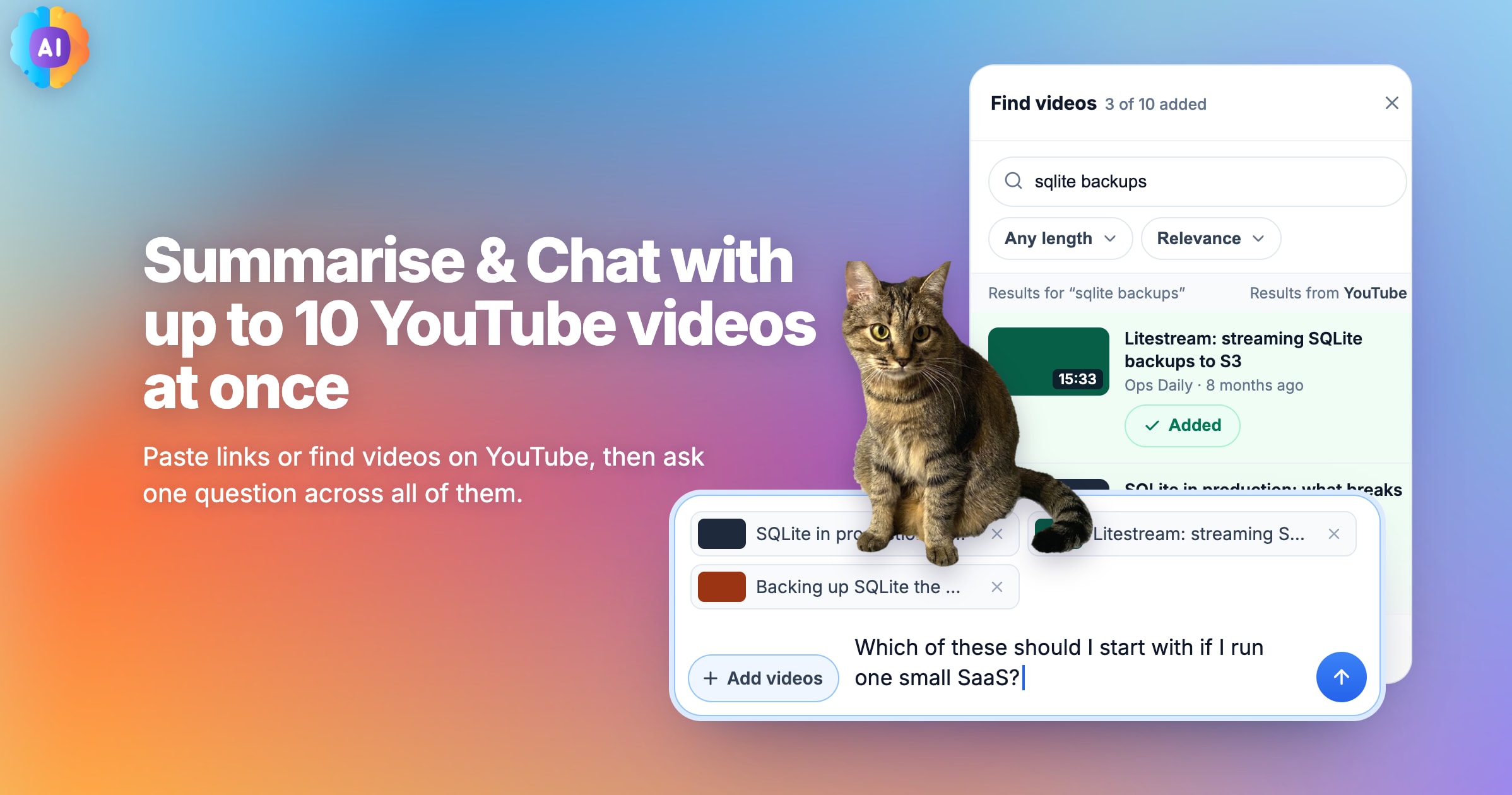
Volume and depth, of course. The web app is built for the moments when one video isn't enough. Imagine you need to summarize 5 videos at the same time and compare them with one another in a chat. Now you can do exactly that: summarize up to 10 videos in one go, ask a single question across all of them and continue your research. What's more, you can subscribe to your favorite channels right in the app and receive summaries of their newest videos. Sounds overwhelming? We know. So let us walk you through the web app's features step by step.
Summarize up to 10 videos in one go
No more opening ten tabs and summarizing them one by one. Paste up to 10 YouTube links into the web app and get all the summaries at once. A progress ring shows how many are ready while Clarify works through the batch. Pick the summary language and style before you start, and the whole batch comes back the way you want it.
*Batch summaries are available on every plan, including Free. How many videos you can summarize depends on your plan; the Free plan comes with a daily and a monthly allowance.
Ask about up to 10 videos at once
Now pick up to 10 videos and ask questions about all of them at once. Instead of watching four reviews back to back, just ask which phone has the best battery life and get one answer that draws on every video. Here's what you get:
Two depths of answers. Get answers based on the summaries when you want speed, or on the full transcripts when you need detail.
Sourced answers. Each point links to the exact video and moment it comes from.
Suggested follow-ups. Clarify proposes the next questions to ask, so the conversation keeps moving.
Start anywhere. Open a chat from a search, from a batch of summaries, or from a single video.
*Chats are a part of the Pro plan.
Follow your favorite channels: every new video, already summarized
Yes, it's exactly what you're thinking: a personalized news feed built from your favorite channels. How do you set it up? Follow a channel with the Follow button on the Clarify website, and every new video it publishes lands in your Feed with its summary ready. Here's what you get:
Up to 5 channels, chosen by you.
Each channel in your language and style. Set the summary language and style for every channel separately, so each one reads exactly the way you like.
Focused on full videos. Shorts and live streams stay out of the Feed, so it holds only full-length uploads.
It’s ideal for anyone who follows news, finance or tech channels and can't keep up with everything they publish. You can also follow a channel straight from YouTube by pressing a button in the extension.
*Feed is part of the Pro plan.
What's new in the extension?
The YouTube extension has been updated to work hand in hand with the web app. The update is already available for Chrome, Edge and Firefox.
A cleaner widget. A new compact one-line mode and less clutter. On the Free plan, a small ring in the corner shows how much of your allowance is left.
Report a bug in seconds. A small form right in the widget, and on the site, lets you write to support and hit send without opening your email app. Available when you're signed in.
Follow from YouTube (Pro). A Follow button in the widget under each video adds the channel to your Feed. New videos from it arrive there already summarized.
Chat with a playlist or channel (Pro). On a playlist page or a channel's Videos tab, a new button opens a chat on the site with videos from that list.
What each plan offers you now?
Feature | Free | Basic | Pro |
YouTube extension | Yes | Yes | Yes |
Summaries on the site and history | Yes, limited | Yes, limited | Yes, largest allowance |
Custom summary styles | — | Yes | Yes |
Chats with up to 10 videos | — | — | Yes |
Feed with up to 5 channels | — | — | Yes |
Video search in the app | — | — | Yes |
Every plan includes a daily and a monthly AI allowance, and Pro's is the largest. Chats, Feed and in-app search come with a paid Pro subscription and aren't part of the free trial; custom styles are. Pro unlocks the whole Clarify AI toolkit: the YouTube extension, the web app and Screen Answers, our second extension.
Conclusion
We know, the web app sounds like a superkit for YouTube nerds but in fact it's really simple and genuinely useful functionality for everyone if we remove all the marketing stuff. Just try and let us know, what you think.
Warm regards,
Clarify AI Team